A Container Around a Virtual Machine
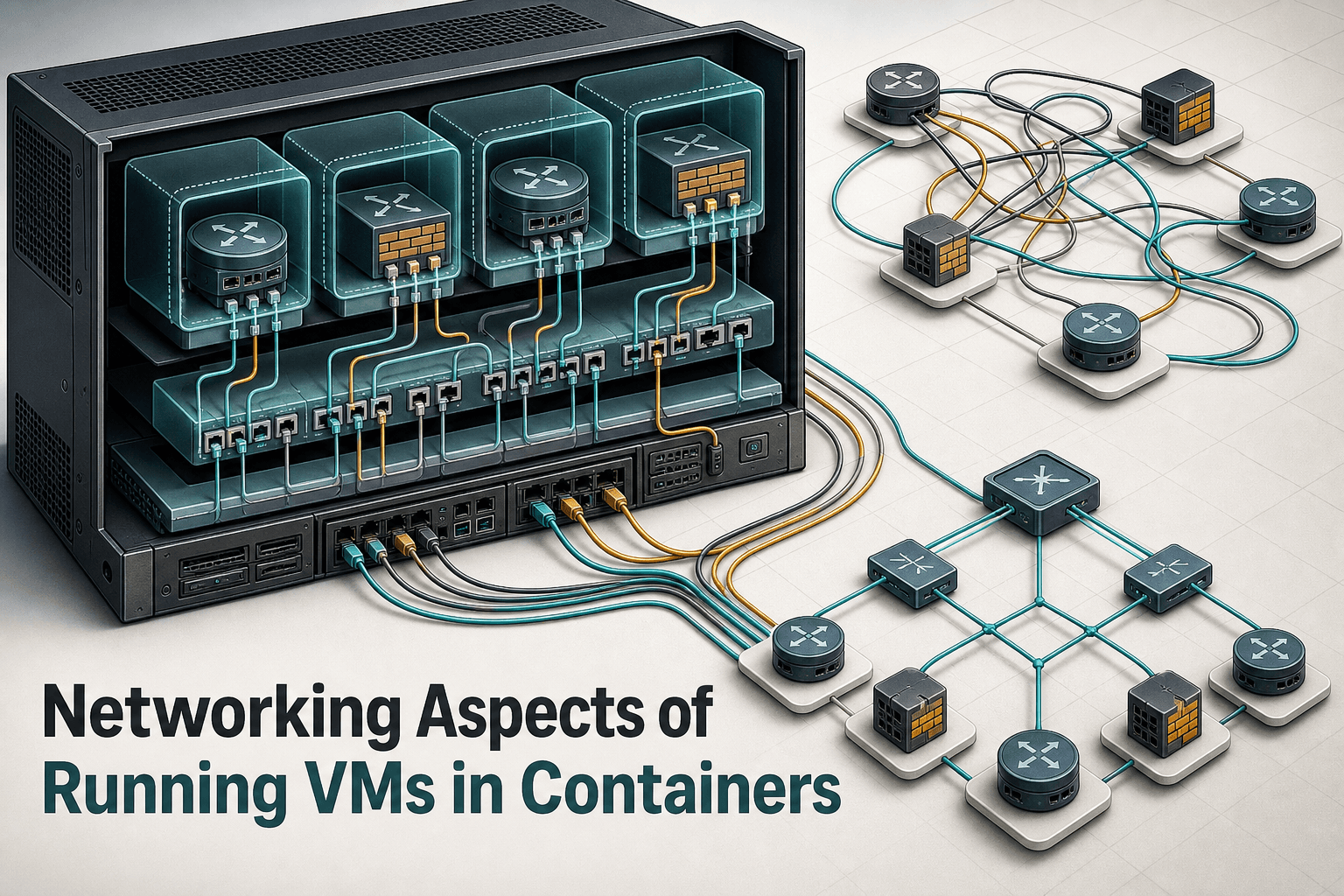
Many virtual network appliances cannot run as native container processes. The vrnetlab project, along with its containerlab fork, addresses that limitation by packaging a virtual machine inside a container.
This creates a useful operational abstraction: topology tooling can provision the packaged appliance as part of a container-based lab, even though the network operating system is still running in a VM. Teams can therefore apply reliable orchestration workflows to devices that would otherwise require a separate virtualization process.
However, putting a VM into a container image does not remove the VM’s networking requirements. It introduces several layers that must work together:
The virtual interfaces presented to the network-device VM
The container’s network boundary
The host system carrying the containers
The virtual links representing the intended topology
The management connectivity needed by automation tools and operators
The central question is not simply whether the VM starts. It is whether traffic reaches the correct interface, crosses each boundary, and follows the topology the lab is supposed to represent.
Why the Virtual Plumbing Matters
A topology may look correct in an orchestration definition while behaving differently at the packet level. Every virtual link has to bridge the gap between an interface owned by a VM and connectivity exposed through its enclosing container.
That distinction matters because the container is acting as packaging and an orchestration unit; the network appliance itself remains virtual-machine software. Troubleshooting must therefore account for both environments rather than treating the appliance as an ordinary containerized service.
Useful questions include:
Which VM interface corresponds to each declared topology link?
How does that interface reach the network boundary of the enclosing container?
Which path provides management access for configuration and automation?
Does the implemented connectivity match the topology being tested?
Are image-building choices affecting how interfaces or links are exposed?
The source notes that drawbacks can depend on how the container images are built. Image construction is therefore part of the network design, not merely a packaging concern.
Implications for Network Labs
VM-in-container designs can make mixed virtual labs easier to provision through a common topology workflow. Their real value, however, depends on predictable connectivity.
For lab operators, that means validating more than device boot status. A useful test should confirm that:
Expected interfaces are present and mapped consistently
Management access is available through the intended path
Links between virtual devices represent the declared topology
Configuration automation can reach every target
Topology experiments can be repeated without hidden connectivity changes
These checks are particularly important when a lab is used to test routing behavior, firewall policy, provisioning logic, or changes that will later be applied to production infrastructure. If the virtual plumbing does not reflect the intended design, the resulting test may validate the wrong network.
Automation Needs Reachability and State
Container-based orchestration can provision the topology, but subsequent automation still needs dependable access to each network-device VM. A device that has started successfully is not necessarily ready to be configured, audited, or tested.
A practical workflow should separate three milestones:
Provisioned: The container and enclosed VM have been created.
Reachable: The required management and topology interfaces can carry traffic.
Manageable: Automation can authenticate, collect state, and apply the intended configuration.
This distinction makes failures easier to locate. A provisioning issue, a virtual-link issue, and a device-configuration issue may produce similar symptoms, but they belong to different layers.
Topology Testing Without False Confidence
Packaging virtual appliances as containers is attractive because it aligns unlike devices with a common orchestration model. It should not obscure the boundaries underneath that model.
Teams using these labs should document interface mappings and management paths alongside their topology definitions. They should also retain the device configurations associated with each test. This makes it easier to distinguish a genuine network behavior from a difference in virtual connectivity or configuration state.
A reproducible topology requires both reproducible device configuration and reproducible virtual wiring.
Where ConnectMyAssets Fits
ConnectMyAssets complements VM-based network labs after the virtual appliances become reachable. It does not replace the VM, container, or topology orchestration layers; it provides on-premises management functions for the network devices running within the resulting environment.
Relevant modules include:
Automation & ZTP to apply repeatable provisioning workflows to reachable lab devices
Topology to maintain visibility into discovered device relationships and compare them with the intended design
Backup & History to version device configurations and restore a known state with one-click rollback
Dynamic CMDB to inventory virtual appliances alongside other managed infrastructure
Compliance Engine to evaluate configurations against applicable NIS2, ISO 27001, PCI, CISA, or NIST requirements
Credential Vault and SSH Bastion to centralize controlled administrative access
CVE Tracking to associate known vulnerabilities with individual managed assets
Because ConnectMyAssets runs on premises, lab configurations, credentials, inventory, and locally generated AI Insights can remain within the organization’s environment. In a topology-testing workflow, this provides a managed record of what each device was, how it was configured, and how its state changed between experiments.
Source: ipSpace.net